Lesson-aware AI tutoring
Ava receives the current lesson context, so you can discuss the question in front of you and ask for help with the next step.
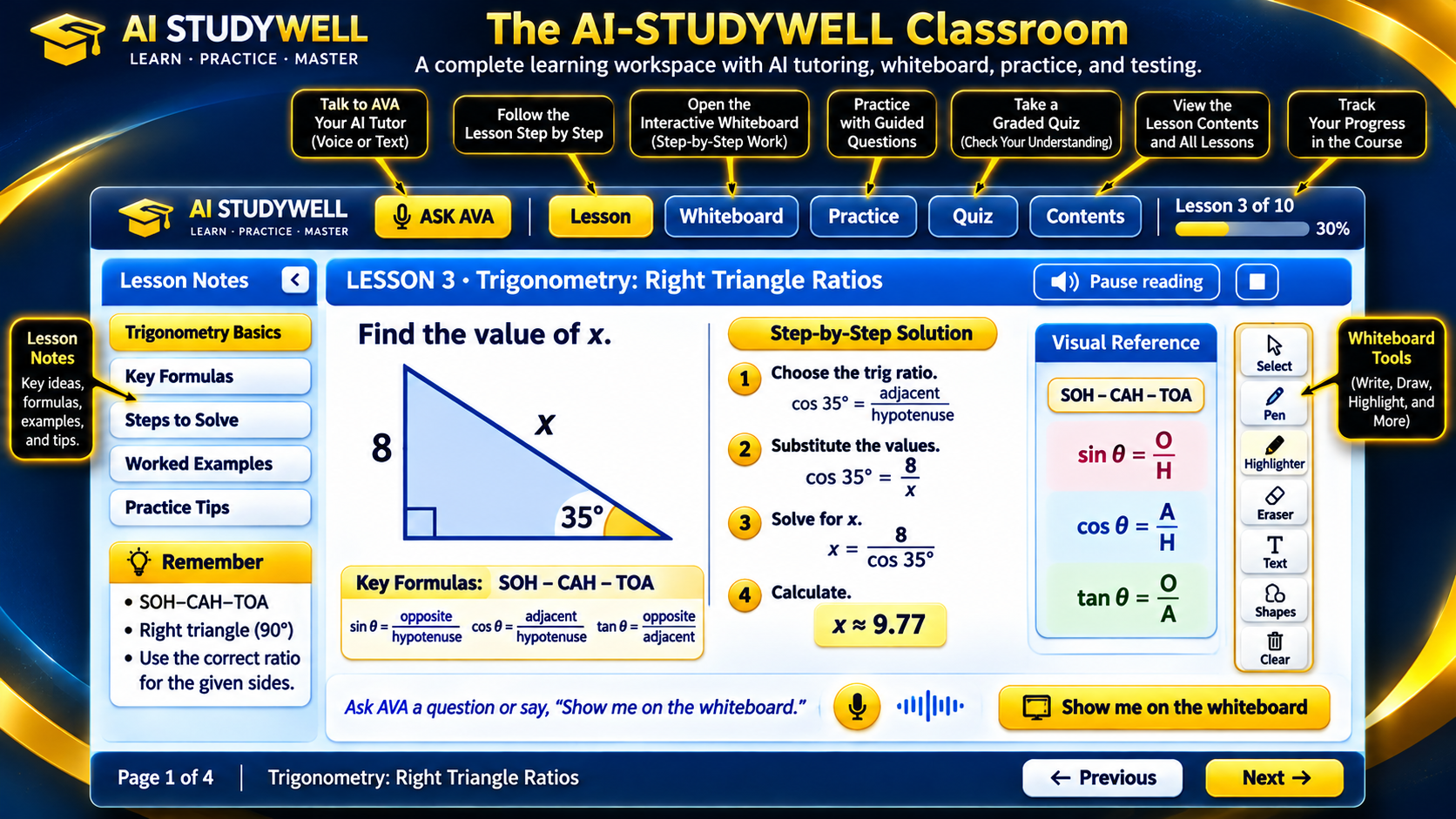
Explore a connected learning workspace with Ava AI tutoring, illustrated explanations, supported whiteboard demonstrations, practice and quizzes.
Development preview · Public student enrollment is not open yet.
Ava receives the current lesson context, so you can discuss the question in front of you and ask for help with the next step.
Ask Ava a question aloud or send a typed message during a connected tutor session. Ask a follow-up when you want another explanation.
For supported math problems, Ava can display a worked method step by step, highlight earlier working and show supported graphs.
AI-assisted course creation pairs teaching content with relevant illustrations. Keep the problem, its picture and the explanation together as you study.
When a saved recording has been added, listen to Ava explain the lesson. Pause, stop or replay it while the written lesson remains in view.
Course-building tools can create practice questions, chapter quizzes and final assessments with answer explanations. An administrator reviews the material before release.
Ask about the platform, family learning or future school use.